
Installing IPTV Smarters Pro on your Windows PC is one of the easiest ways to stream live TV, movies, and series directly on your computer. With its sleek interface and smooth streaming experience, this app allows you to enjoy your favorite content effortlessly.
At DEIPTV, we provide reliable IPTV subscriptions and guides to make your streaming setup seamless. Check our Pricing Page for subscription options.
Step 1: Download IPTV Smarters Pro
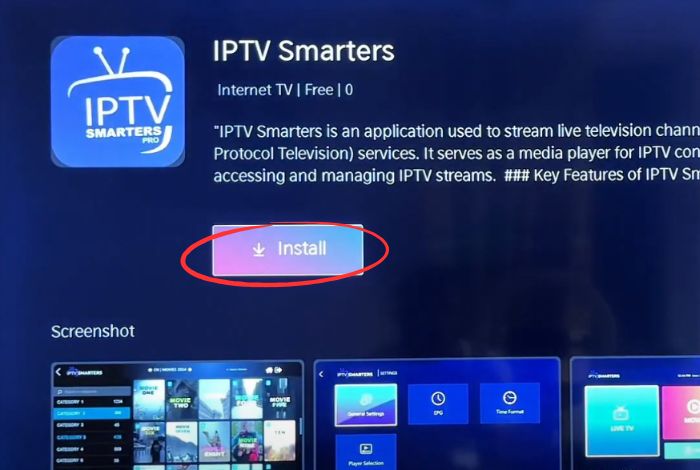
- Open your preferred browser and visit the official IPTV Smarters Pro site or a trusted source.
- Find the Windows version and download the installer.
- After downloading, locate the installer in your Downloads folder.
Need help? Visit our FAQ for detailed instructions.
Step 2: Install the App
- Double-click the installer file.
- Follow the on-screen steps to complete the installation.
- Click Finish when the setup is complete.
Step 3: Launch IPTV Smarters Pro
- Open the app from your Start Menu or Desktop shortcut.
- Enter your IPTV subscription details when prompted.
Step 4: Add Your IPTV Subscription
You can log in using:
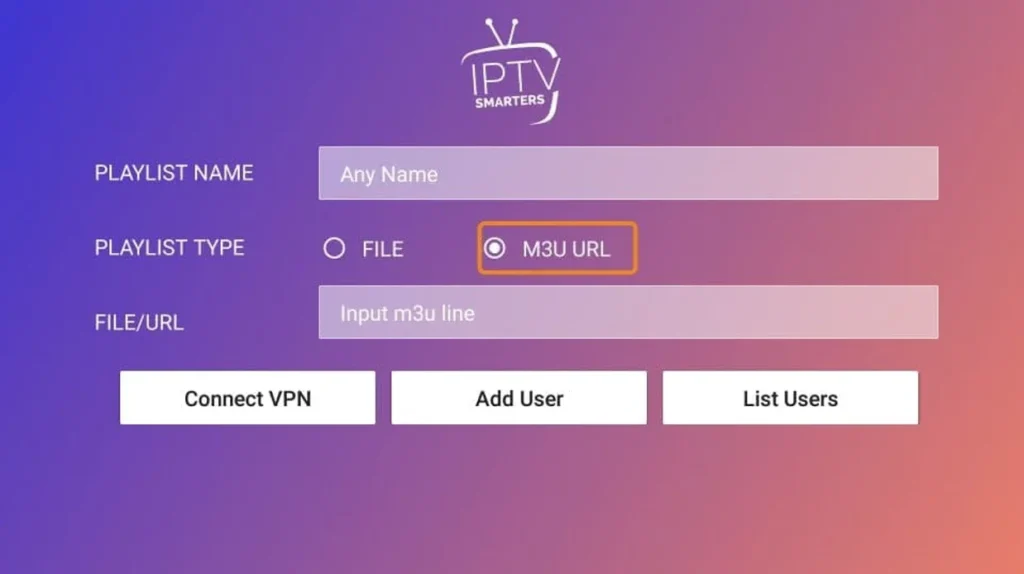
- M3U URL – Provided by your IPTV service.
- Xtream Codes API – Enter your server URL, username, and password.
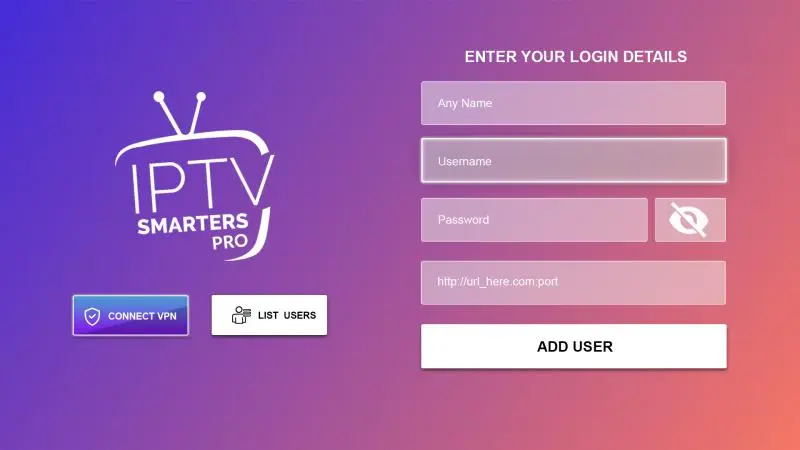
Click Add User or Connect to load your channels.
For more IPTV setup options, see our guide on Installing IPTV on IBO Player.
Step 5: Enjoy IPTV on Windows
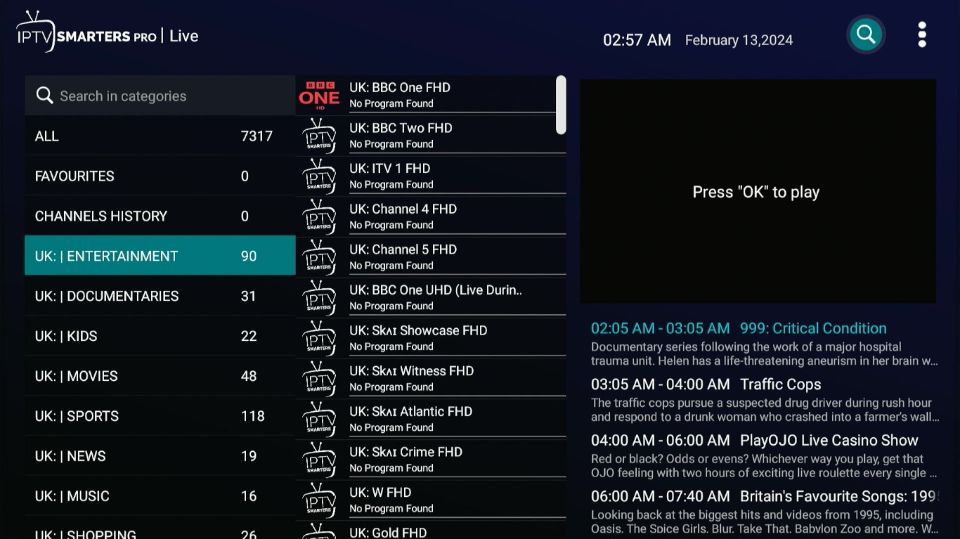
Once connected, you can browse live TV channels, movies, and on-demand content. The app’s simple interface ensures smooth navigation and streaming.
Frequently Asked Questions
Q: Where can I find my M3U URL or Xtream Codes?
- Your IPTV service provides these after registration. Check your email or portal.
Q: Can I add multiple IPTV subscriptions?
- Yes! Add several M3U URLs or Xtream Codes in the app.
Q: Why isn’t IPTV Smarters Pro working on my PC?
- Ensure your subscription is active, your credentials are correct, and your internet is stable. Contact your provider if issues persist.
Why Choose DEIPTV?
DEIPTV offers top-quality IPTV subscriptions, fast setup, and friendly customer support. Learn more on our About Us page or Contact Us for assistance.
For expert recommendations on the best IPTV services, check our Top 10 Best IPTV Services in the USA 2026.
Start streaming today with DEIPTV and enjoy live TV, movies, and series on your Windows PC!