
Setting up IPTV in 2026 is easier than ever when you choose a reliable provider and follow the correct steps. With DEIPTV, you can access thousands of live TV channels, movies, and series in HD and 4K quality on almost any device.
This step-by-step guide will help you install, configure, and enjoy IPTV smoothly, even if you’re a beginner.
1. Choose a Reliable IPTV Provider
The most important step is selecting a trustworthy IPTV provider. A good IPTV service should offer stability, fast loading times, and responsive support.
DEIPTV provides:
- High-quality streams (HD, Full HD, 4K)
- Stable servers with minimal buffering
- Wide channel coverage (sports, movies, international TV)
- Fast customer support
👉 Learn more about our service here:
https://de-iptv.store/about-us/
You can also check our subscription options here:
https://de-iptv.store/pricing/
2. Make Sure Your Device Is Compatible
DEIPTV works on a wide range of devices, including:
- Smart TVs: Samsung, LG, Android TV
- Streaming Devices: Firestick, Android Box, MAG Box, Formuler
- Computers: Windows & macOS
- Mobile Devices: Android & iOS
If you’re looking for detailed setup instructions, these guides may help:
- How to Install IPTV Smarters Pro on Windows (2026 Guide)
https://de-iptv.store/install-iptv-smarters-pro-windows/ - How to Install IPTV on IBO Player (Complete Guide 2026)
https://de-iptv.store/install-iptv-ibo-player/
3. Install an IPTV App
Most IPTV services require a dedicated app.
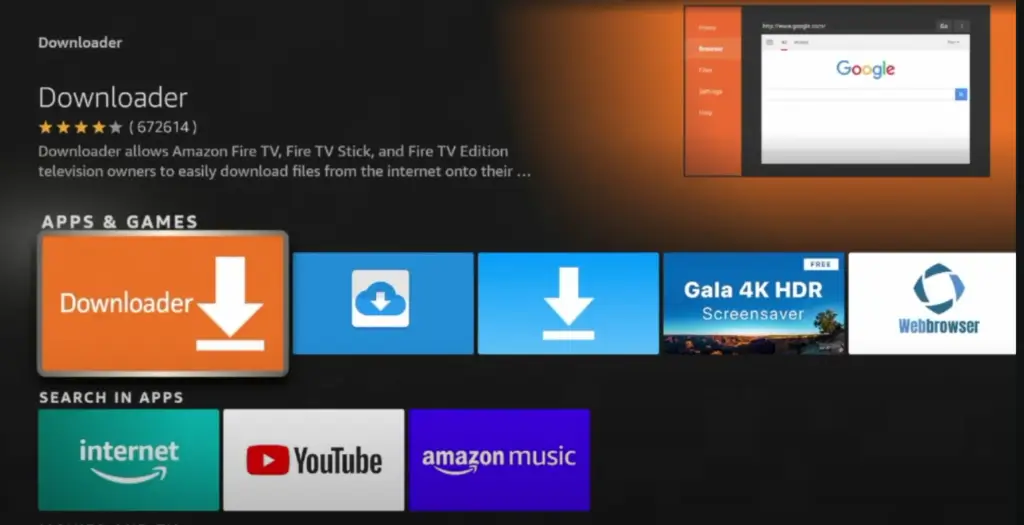
For Firestick / Android TV:
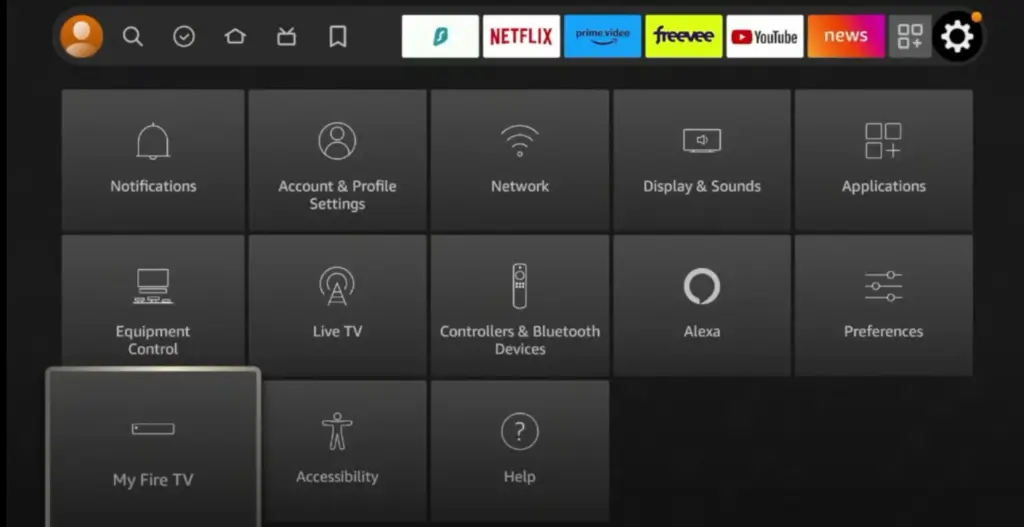
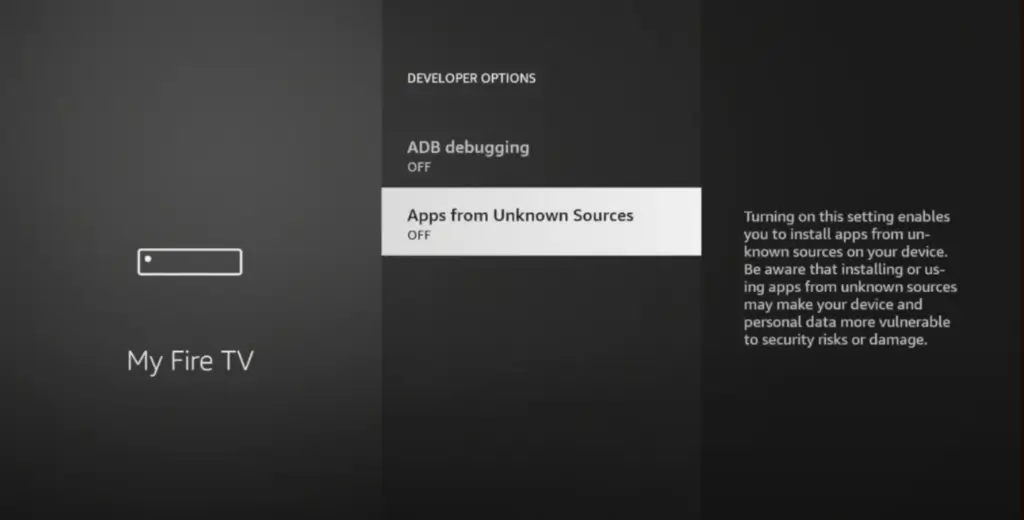
- Go to Settings → My Fire TV → Developer Options
- Enable Apps from Unknown Sources
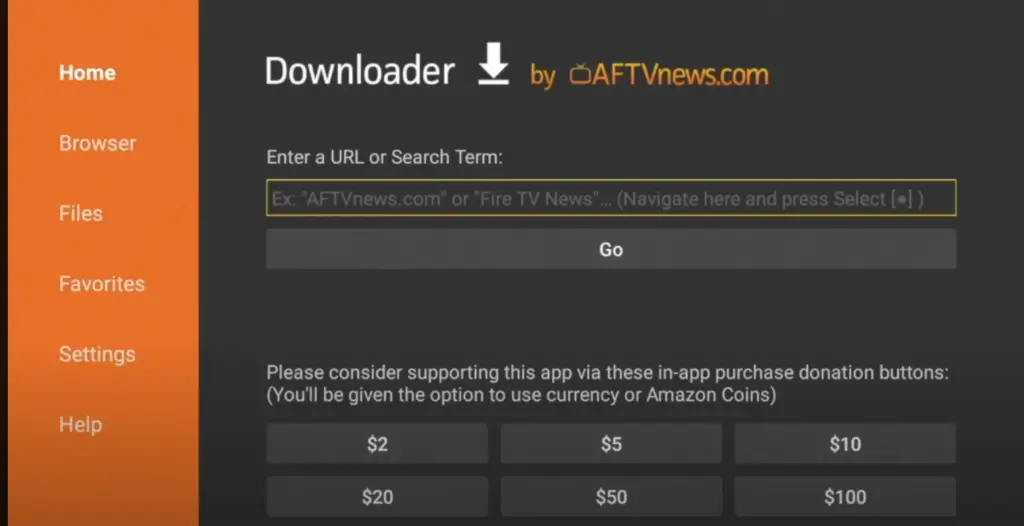
- Install the Downloader app
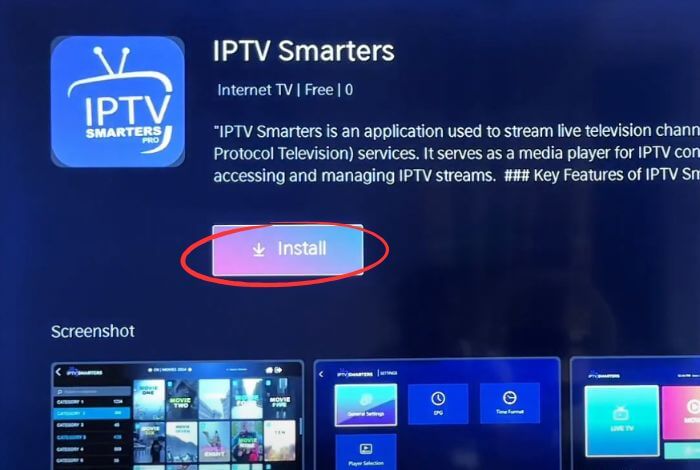
- Download and install an IPTV app such as IPTV Smarters Pro
- Open the app and continue to login
For PC or Mobile:
- Download the IPTV app from the official website or app store
- Install and open the app
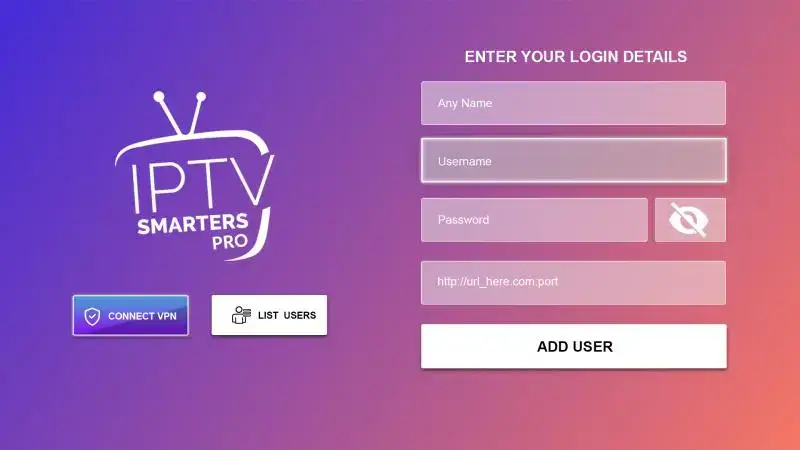
4. Enter Your IPTV Subscription Details
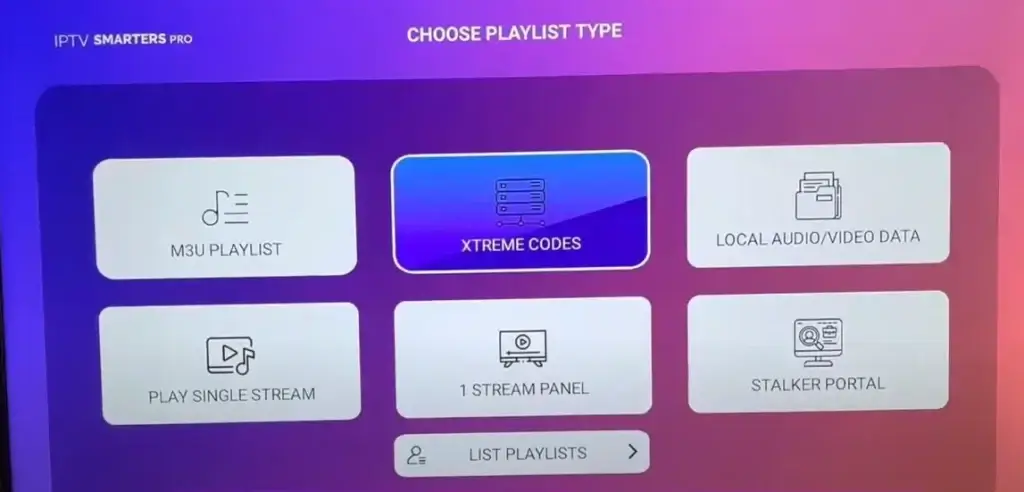
Once the app is installed, log in using one of the following methods:
- M3U Playlist URL
- Xtream Codes (Username & Password)
After purchasing from DEIPTV, your login details are delivered instantly.
👉 View plans and pricing here:
https://de-iptv.store/pricing/
5. Optimize Your Internet Connection
For the best streaming experience:
- Minimum internet speed: 10 Mbps
- Use a wired Ethernet connection when possible
- Restart your router and device if buffering occurs
- Close unused apps running in the background
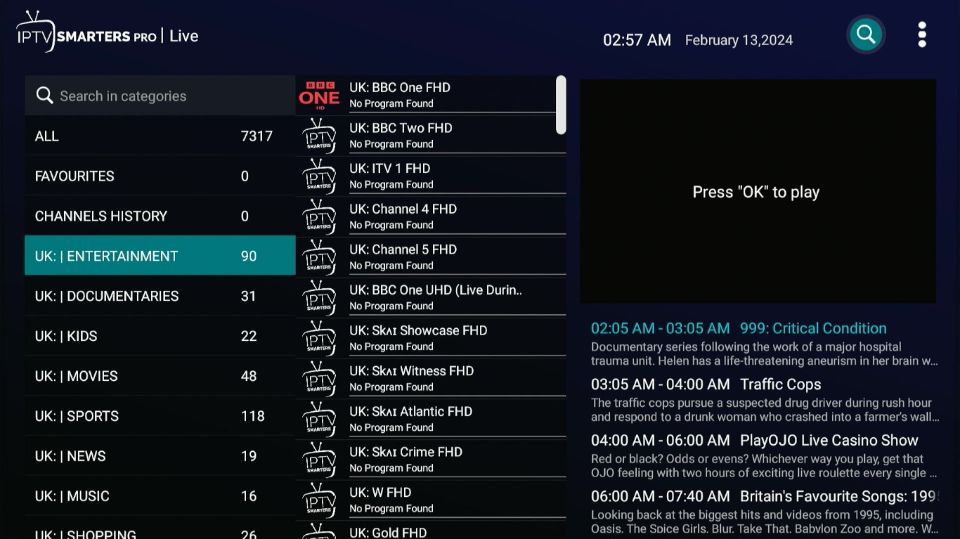
6. Start Watching IPTV
Once logged in, your channels and VOD content will load automatically.
With DEIPTV, you can enjoy:
- Thousands of live TV channels
- Large VOD library (movies & series)
- Sports, PPV, and international content
- EPG & Catch-Up (depending on the plan)
- Smooth streaming across devices
If you’re comparing services, this article may help:
Top 10 Best IPTV Services in the USA for 2026
https://de-iptv.store/best-iptv-services-usa-2026/
Frequently Asked Questions (FAQ)
Is IPTV legal?
IPTV legality depends on the provider. Always choose a service that respects content regulations.
Can I use IPTV while traveling?
Yes. IPTV works anywhere with a stable internet connection. Some users choose to use a VPN.
Do I need a monthly subscription?
Yes. IPTV services usually require monthly or yearly plans.
👉 Check available plans: https://de-iptv.store/pricing/
For more common questions, visit our FAQ page:
https://de-iptv.store/faq/
Conclusion
Setting up IPTV in 2026 is simple when you follow the right steps and choose a reliable provider. DEIPTV offers stable streams, wide compatibility, and excellent support, making it a smart choice for anyone looking to enjoy IPTV without hassle.
🎯 Get started today and enjoy high-quality IPTV with DEIPTV.
Need help? Contact our support team anytime:
https://de-iptv.store/contact/